
Make a vicinity map in minutes.
Use PamPam's AI map maker to instantly create interactive vicinity maps and real estate maps or your properties.

Start from scratch

Start from Notion

Start from Sheets
As seen on the internet.




What is a Vicinity Map?
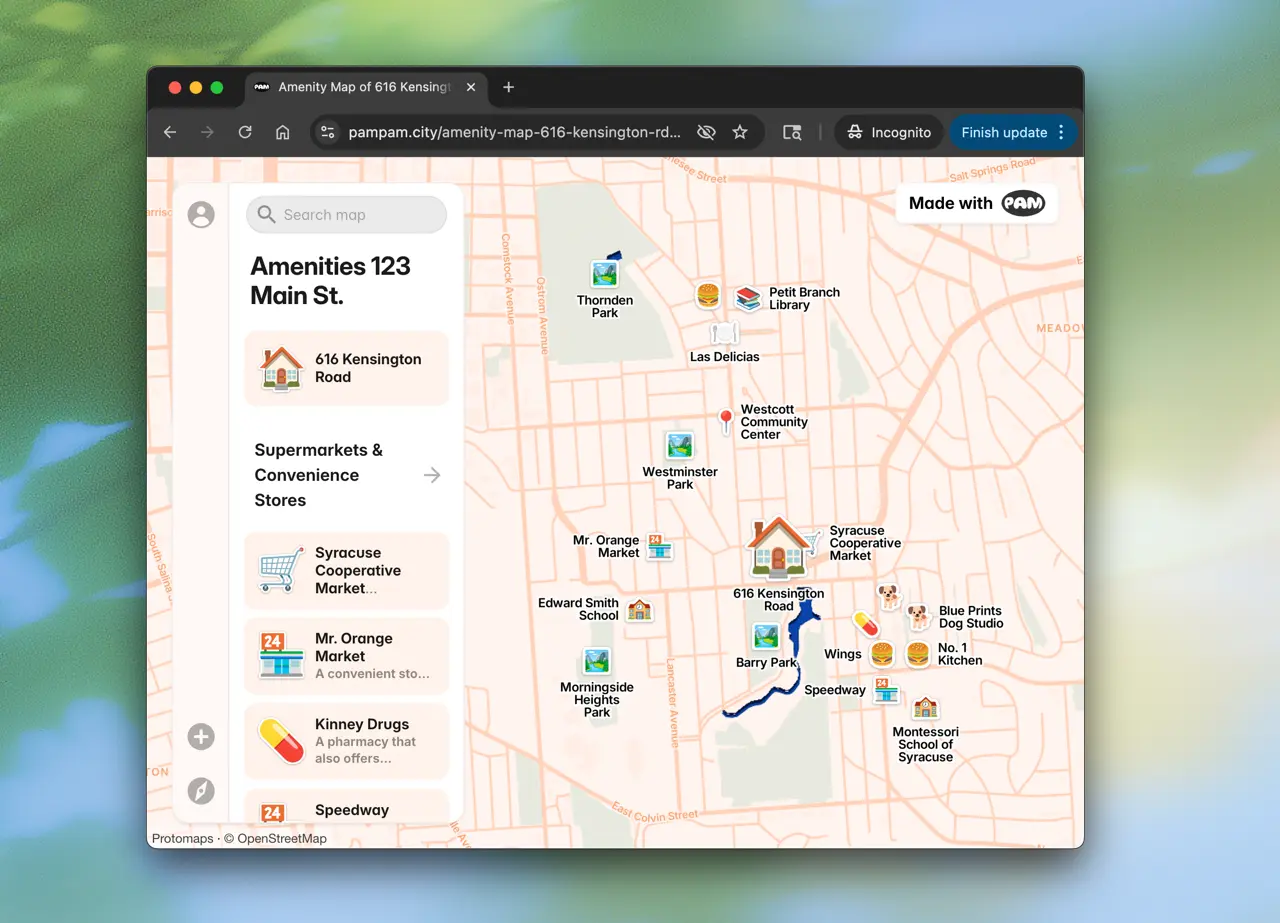
A vicinity map helps real estate agents show what's nearby a property — from grocery stores to parks. With PamPam's AI vicinity map maker, you can generate interactive real estate maps in seconds and embed them on your website.
Vicinity Map Features

Embeds
Embed the maps on your website.

Customizable
Add your logo, colors and custom icons.

Instant updates
Update your maps whenever you need.

CSV Import
Import from a CSV, Google Sheet or Airtable.
What is a vicinity map?
A vicinity map is a visual representation showing the area surrounding a specific location, typically a property. It highlights nearby amenities like restaurants, parks, schools, transit stops, and other points of interest that help buyers understand the neighborhood.
How to make a vicinity map?
To make a vicinity map with PamPam ,simply enter an address or neighborhood name in the search box above, and PamPam's AI will automatically generate an interactive vicinity map with nearby amenities. You can then customize the map by adding or removing locations, changing colors, and adding your branding.
Can I embed my vicinity map on my website?
Yes! Every map you create with PamPam comes with an embed code that you can add to your website, property listings, or marketing materials. The embedded maps are fully interactive and mobile-responsive.
What types of amenities can I show on a vicinity map?
You can show any type of amenity including restaurants, cafes, grocery stores, parks, schools, gyms, transit stations, hospitals, shopping centers, and more. PamPam's AI automatically detects relevant amenities, and you can also add custom locations.
What's the difference between a vicinity map and a location map?
A vicinity map shows multiple amenities and points of interest around a location or neighborhood — like nearby restaurants, parks, and schools. A location map, on the other hand, simply pinpoints where something is. Think of a vicinity map as answering 'what's nearby?' while a location map answers 'where is it?'
Can I update my vicinity map after creating it?
Absolutely! Your maps are saved to your account and can be edited anytime. Add new locations, update descriptions, change the styling, or adjust the map boundaries whenever you need.